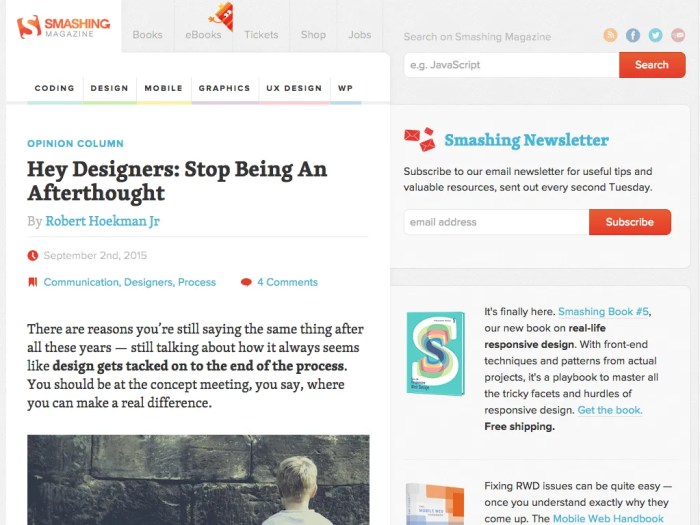
Responsive web design best practices are essential for creating websites that seamlessly adapt to various devices, ensuring an optimal user experience regardless of screen size. As we dive into this topic, we’ll explore innovative strategies that not only enhance aesthetic appeal but also improve functionality and accessibility for all users.
From understanding the significance of fluid grids to the role of flexible images and effective media queries, this discussion will provide a comprehensive overview of the key components that contribute to successful responsive design. By the end, you’ll have a solid grasp of how these elements work together to create an engaging online presence.
Best Practices for Responsive Web Design
Responsive web design has become a cornerstone of modern web development, ensuring that sites look great and function seamlessly across a variety of devices and screen sizes. By adopting best practices in responsive design, developers can create user experiences that are not only visually appealing but also intuitive and accessible.
Fluid Grids
Fluid grids are a fundamental element of responsive web design, playing a crucial role in how content is displayed across different screen sizes. Unlike fixed-width layouts, fluid grids adjust in relation to the size of the viewport, allowing for a more flexible and adaptive presentation of information. This adaptability is particularly important as users access websites on an array of devices—from smartphones to large desktop monitors.
- Fluid grid systems utilize relative units like percentages instead of fixed units like pixels, which helps maintain proportionality across devices.
- By incorporating fluid grids, designers can ensure that elements resize, rearrange, and even hide or display based on the screen dimensions, enhancing usability.
- Implementing fluid grids reduces the need for excessive scrolling or zooming, creating a smoother browsing experience for users.
Flexible Images
Flexible images also contribute significantly to a better user experience in responsive web design. By ensuring that images scale properly within their containing elements, designers can prevent issues such as images overflowing their containers or losing quality on larger screens.
- Using CSS properties like max-width: 100% allows images to resize relative to their parent container, ensuring they remain proportionate and visually coherent.
- Responsive images can be implemented using the
element or the srcset attribute, enabling different image resolutions to be served based on the device’s resolution and screen size. - This approach not only enhances the user experience by providing optimized visuals but also improves loading times, as smaller images are served to mobile devices.
Effective Media Queries
Media queries are a powerful tool in responsive web design, allowing developers to apply specific styles based on the characteristics of the device viewing the content. This ensures that the website’s layout and content adapt seamlessly to different screen sizes.
- Implementing media queries involves using CSS to detect the viewport size and apply rules accordingly, creating a tailored experience for users.
- Designers should prioritize breakpoints based on content rather than device sizes, focusing on where the layout begins to break or look awkward.
- It’s essential to test media queries thoroughly across various devices to ensure consistent behavior, as differences in screen resolution can impact how styles are applied.
“Responsive design is not just about making things smaller; it’s about creating a seamless experience across all devices.”
Integrating Web Hosting and Domain Names with Responsive Design

Choosing the right web hosting provider and domain name is crucial for the success of a responsive website. These elements not only impact the accessibility and performance of your site but also play a significant role in user experience across various devices. Understanding how to select these components effectively can lead to a seamless and engaging web presence.
When considering web hosting options for a responsive design, it’s essential to evaluate specific features that ensure your website operates efficiently. A good web host should support the technologies that enable responsive design, such as CSS media queries and flexible grid layouts. Here are some key factors to keep in mind when selecting a web host:
Factors to Consider When Choosing a Web Host
The following factors are vital in ensuring that your web host supports your responsive design needs:
- Server Performance: Look for hosts that provide fast server response times and high uptime guarantees to ensure your site loads quickly on all devices.
- Scalability: Choose a hosting plan that allows for easy upgrades as your website traffic increases, especially if you expect growth.
- Responsive Customer Support: Ensure the host offers 24/7 customer support that can assist with any issues that may arise, especially during peak traffic times.
- Content Delivery Network (CDN) Integration: Opt for hosts that provide CDN services, which can help deliver content faster to users worldwide, regardless of their device.
- Compatibility with Development Tools: Check if the hosting provider supports tools and frameworks (like WordPress, Bootstrap, etc.) that facilitate responsive design.
Additionally, selecting an appropriate domain name for your responsive website is equally important. A well-chosen domain name can enhance your brand’s visibility and credibility. Here are some considerations for selecting a domain name:
Choosing a Domain Name for a Responsive Site
A carefully selected domain name can significantly impact your website’s performance and reach. Consider the following aspects while making your choice:
- Relevance: The domain name should reflect your brand or the purpose of your website, making it easier for users to remember and find.
- Length: Keep your domain name concise. Shorter names are often easier to type and less prone to user error on smaller screens.
- s: Incorporating relevant s can improve your site’s , helping you rank better in search results.
- Extension: While .com remains the most popular extension, consider other options (.net, .co, etc.) that might be more relevant to your business or region.
- Brandability: Ensure the name is unique and catchy, aiding in brand recall and recognition across various platforms and devices.
When evaluating hosting plans for optimal performance with responsive websites, comparing different options is essential to find the best fit for your needs. Various plans come with different features, and understanding them can help you make an informed decision.
Comparing Hosting Plans for Responsive Websites
To achieve the best performance for a responsive design, analyze the following aspects when comparing hosting plans:
- Shared vs. Dedicated Hosting: Shared hosting is less expensive but may lead to slower performance during high traffic. Dedicated hosting offers better performance but at a higher cost.
- Managed vs. Unmanaged Hosting: Managed hosting services handle server management, which can be beneficial for users unfamiliar with technical aspects, while unmanaged hosting provides more flexibility for experienced users.
- Storage and Bandwidth: Ensure the plan offers enough storage and bandwidth to handle your site’s content and traffic without slowdowns.
- Backup and Security Features: Look for plans that include automated backups and robust security measures to protect your site and its data.
- Trial Periods and Money-Back Guarantees: Opt for hosts that provide trial periods or money-back guarantees to test the service quality before committing long-term.
Tools and Technologies for Responsive Web Design
In the rapidly evolving landscape of web design, having the right tools and technologies at your disposal is essential for creating responsive layouts that not only look good but also function well across various devices. This section delves into the essential software, frameworks, and gadgets that can significantly enhance your responsive web design efforts.
Essential Software and Frameworks for Responsive Layouts
Utilizing the right frameworks and software can streamline the process of developing responsive websites. Here’s a list of some widely used options:
- Bootstrap: A popular front-end framework that provides responsive grid systems and pre-designed components, allowing for rapid development of mobile-first websites.
- Foundation: Similar to Bootstrap, Foundation offers a robust set of responsive design templates and components suitable for both novice and experienced developers.
- CSS Grid and Flexbox: Native CSS technologies that enable complex layouts and responsive designs without the need for external libraries, making them essential for modern web development.
- Adobe XD: A powerful tool for designing and prototyping responsive designs, allowing designers to visualize how their layouts will adapt across different screen sizes.
- Figma: A browser-based design tool that enables real-time collaboration and is excellent for creating responsive layouts with ease.
Gadgets for Enhancing Web Design and Development Tasks
In addition to software, various gadgets can enhance your design and development experience. Here are some must-have tools for web designers:
- Responsive Design Mode in Browsers: Most modern browsers, like Chrome and Firefox, come equipped with developer tools that let you view and test your responsive designs across various screen sizes and resolutions.
- Smartphone and Tablet Emulators: Tools like BrowserStack allow you to test your website on real devices virtually, ensuring that it performs well across platforms.
- High-resolution Monitors: Investing in a high-resolution monitor can greatly improve your design precision and allow for more efficient multitasking while working on responsive layouts.
- Graphic Tablets: Devices like Wacom tablets can help in creating intricate designs and illustrations that can be scaled responsively.
Effective Use of Graphics and Multimedia Elements in Responsive Designs
Graphics and multimedia elements play a critical role in engaging users, but their implementation must be carefully considered in responsive web design. Here are key strategies to effectively incorporate these elements:
– Use of SVGs: Scalable Vector Graphics (SVG) are ideal for responsive designs since they can be resized without losing quality. They are perfect for logos and icons that need to look sharp on all devices.
– Responsive Images: Utilize the `
– Optimize Multimedia Elements: Compress videos and use adaptive streaming technologies to ensure that users have a smooth experience, regardless of their internet speed. Consider using HTML5 video tags for better compatibility.
– Lazy Loading: Implement lazy loading for images and videos to improve loading times. This technique loads resources only when they are needed, enhancing performance on mobile devices with limited bandwidth.
– Accessible Multimedia: Ensure all multimedia elements are accessible by including captions, transcripts, and alt text, making your website inclusive for all users.
By leveraging the right tools and technologies, designers can create visually appealing and functionally robust responsive websites that cater to a diverse audience across various devices.
Final Wrap-Up
In summary, implementing responsive web design best practices is crucial for ensuring that your website remains relevant and user-friendly across all devices. By focusing on fluid grids, flexible images, and appropriate media queries, you can create a site that not only looks great but performs flawlessly. Embracing these techniques will set you on the path to achieving a more dynamic and accessible web experience for everyone.
Commonly Asked Questions
What is responsive web design?
Responsive web design is an approach that allows websites to adapt their layout and content based on the size and orientation of the device being used.
Why is responsive design important?
It ensures a consistent user experience across different devices, improving usability and accessibility, which can enhance engagement and reduce bounce rates.
How do I test if my website is responsive?
You can use tools like Google Chrome’s developer tools, which allow you to simulate various device screen sizes, or online services that analyze your site’s responsiveness.
Are there any specific frameworks for responsive design?
Yes, popular frameworks like Bootstrap and Foundation offer pre-built components and grid systems that simplify the process of creating responsive layouts.
Can I make an existing website responsive?
Absolutely! You can update your existing site by using fluid grids, flexible images, and media queries to adapt its layout and content for different devices.